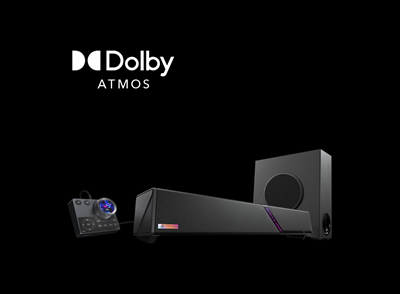
ROG Gjallar Gaming Soundbar
Gaming soundbar for PC, Switch, PlayStation, mobile, 2.1.2 Surround Sound, Dolby Atmos®, 5G Wireless Subwoofer, All-in-One Audio Control Hub, multi-device connections via USB-C®, HDMI® 2.1 (eARC), optical, AUX, and Bluetooth® 5.3.
- Compact Form Factor: Sleek and slim premium soundbar designed to streamline any setup
- Immersive 2.1.2 Surround Sound: Dolby Atmos® support with left, right full-range speakers, tweeters, up-firing channels, and a wireless subwoofer to create a realistic 3D soundstage
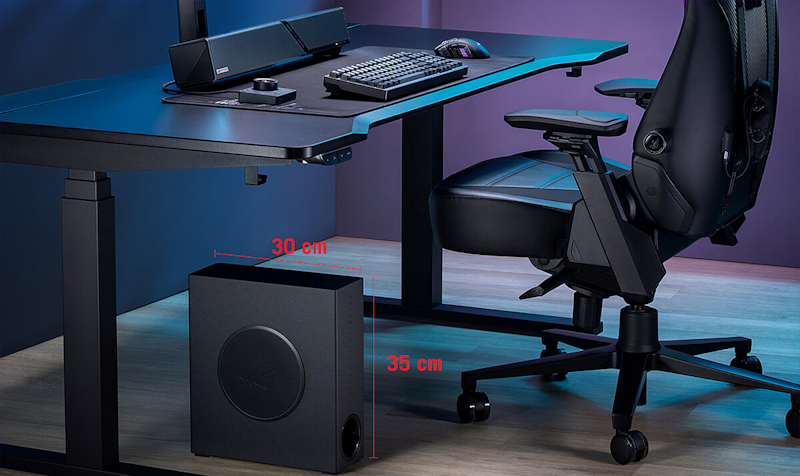
- Powerful 5G Wireless Subwoofer: 65-watt subwoofer for powerful, low-latency audio performance; slim design for flexible placement
- All-in-One Audio Control Hub: Conveniently adjust EQ settings, playback, input sources, and RGB lighting, while built-in AEC microphones ensure seamless communication
- Advanced Built-in AEC Microphones: Intelligent Acoustic Echo Cancellation filters out game audio and teammate voices for clear, echo-free voice pickup
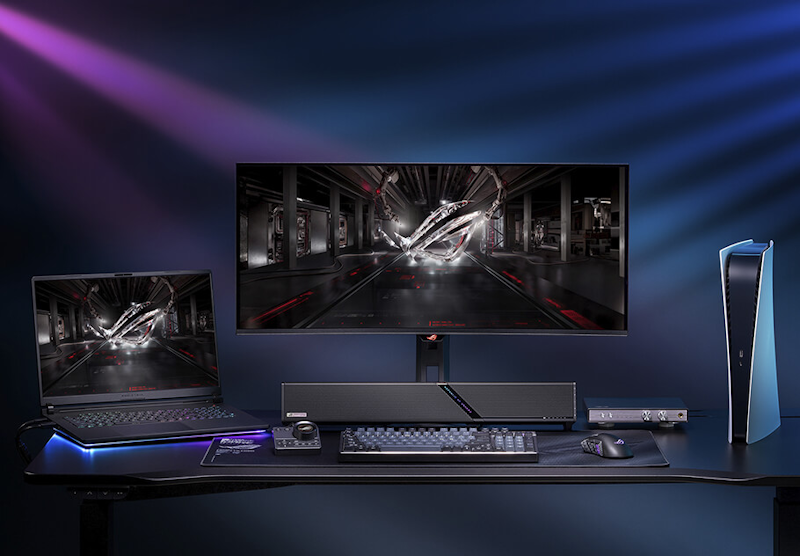
- Versatile Multi-Platform Compatibility: Seamless multi-device connections via USB-C®, HDMI® 2.1 (eARC), optical, AUX, and Bluetooth® 5.3. for perfectly-synced audiovisuals
- HDMI® 2.1 & eARC Connectivity: Supports up to 4K@120 Hz pass-through to ensure lossless, high-resolution audio and perfectly synced, low-latency visuals
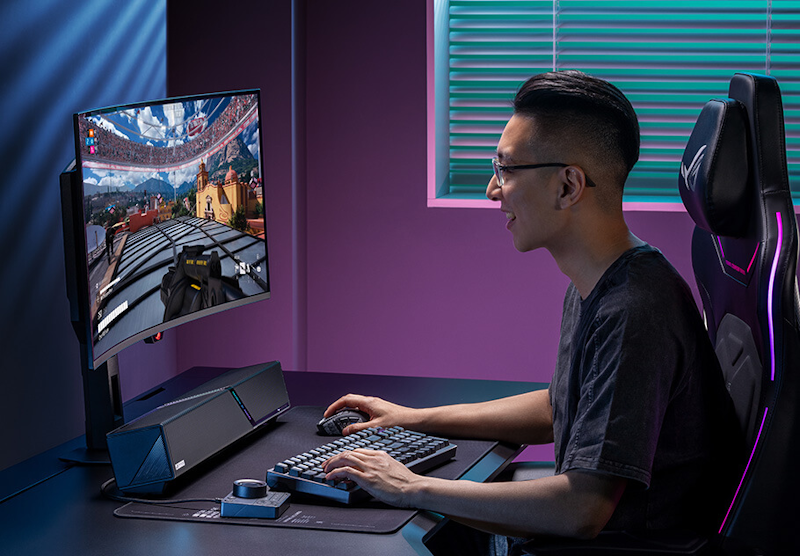
- Built-In USB HUB: Two USB Type-A ports on the side of the soundbar allow for easy device connections
- Easy Adjustments: Gear Link enables EQ fine-tuning, lighting options, microphone adjustments, and more to create truly personalized listening experiences


Unleash Your Cinematic Arena
Streamline your gaming setup with the ROG Gjallar gaming soundbar and wireless subwoofer for immersive, cinematic Dolby Atmos® audio. Inspired by the legendary Gjallarhorn from Norse mythology, the ROG Gjallar (pronounced ‘ga-lar’ ) delivers powerful and commanding sound for an expansive soundstage coverage.
The ROG Gjallar also features built-in Acoustic Echo Cancellation (AEC) microphones for clear communication, an all-in-one control hub, and multi-platform connectivity for ultimate. Engineered for ultimate control and convenience, it allows you to switch between gaming and entertainment without ever swapping devices.
The ROG Gjallar also features built-in Acoustic Echo Cancellation (AEC) microphones for clear communication, an all-in-one control hub, and multi-platform connectivity for ultimate. Engineered for ultimate control and convenience, it allows you to switch between gaming and entertainment without ever swapping devices.
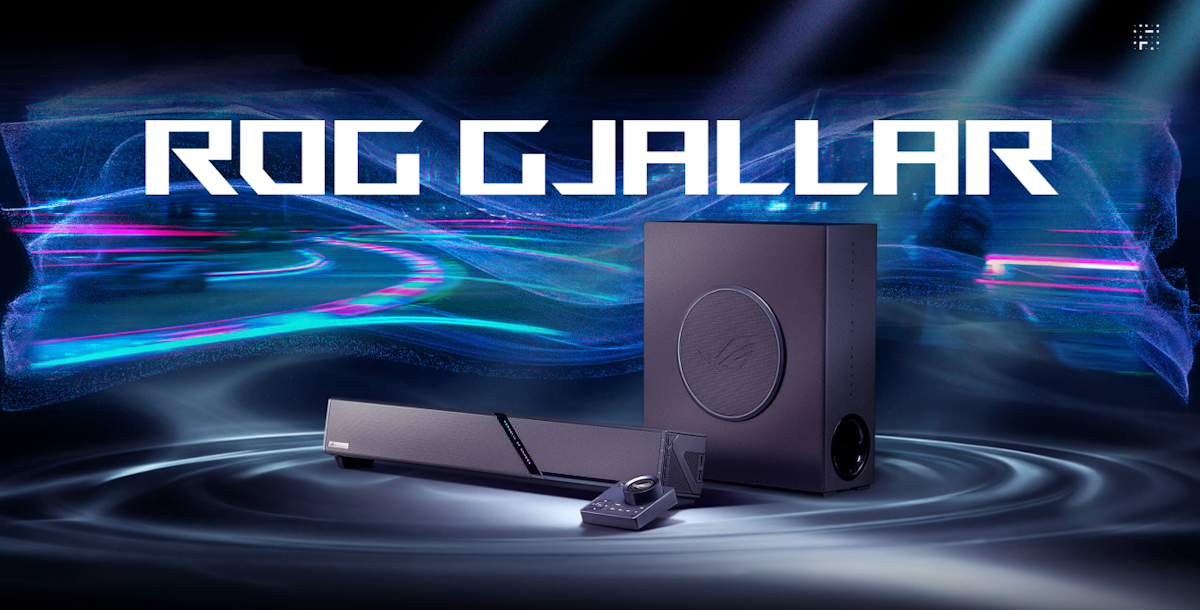
Compact Form Factor
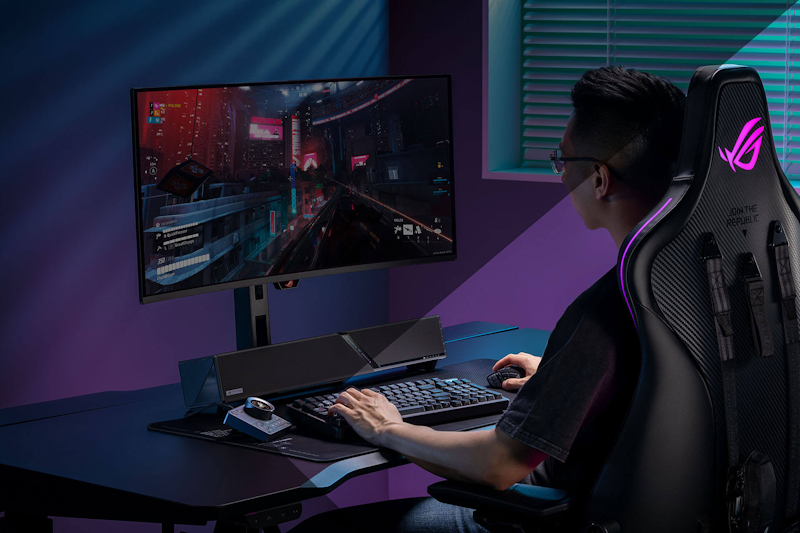
The compact form factor of the ROG Gjallar allows it to fit perfectly under any display. Blending ROG aesthetics with high-end audio performance, it’s the ideal companion for any gaming rig.
Immersive 2.1.2 Surround Sound
Engineered with full-range drivers, dedicated tweeters, up-firing channels, and a wireless subwoofer, the ROG Gjallar creates a phantom, realistic 3D soundstage for truly lifelike immersion.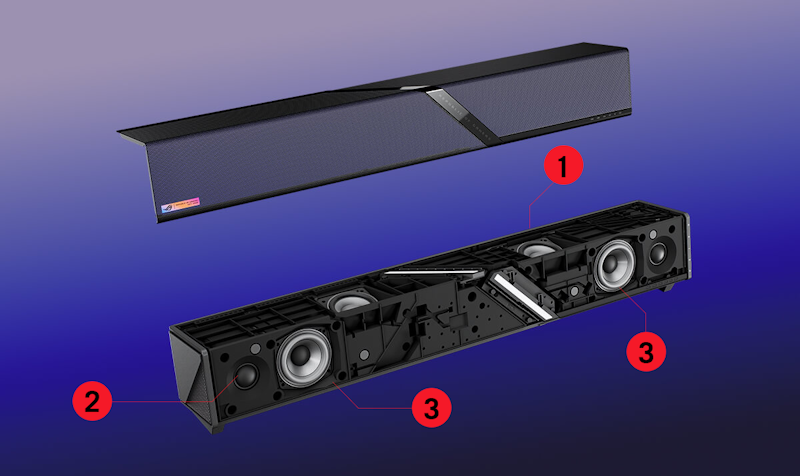
1. Angled Up-Firing Speakers
Dual up-firing channels create a vivid and realistic vertical soundstage.2. High-Fidelity Tweeters
Engineered for high-frequency precision, the tweeters highlight every nuance — from sharp gunshots to an enemy's subtle footsteps.3. Full-Range Speakers
The left and right full-range speakers drive impactful lows and mids — delivering the punch of bass while maintaining the natural warmth and clarity of vocals.
Dolby Atmos® Cinematic Experience
Powered by Dolby Atmos®, experience cinematic audio with unmatched tactical clarity. Pinpoint incoming planes flying overhead, sense footsteps moving across the room, and feel the music swell all around you. The ROG Gjallar breathes life into every game, movie, and soundtrack — placing you directly at the center of the action.
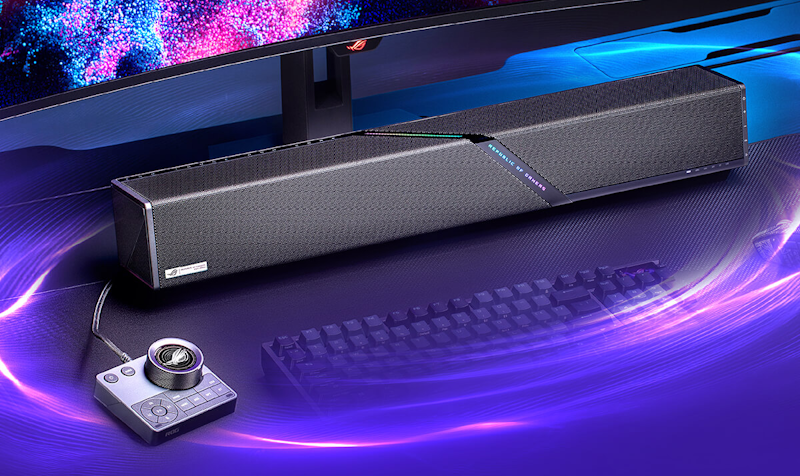
Powerful 5 GHz Wireless Subwoofer
The 6.5-inch 65-watt subwoofer delivers rich low-end frequencies, bringing impactful bass and cinematic audio to explosions and other effects. Plus, 5 GHz connectivity ensures reliable, low-latency audio performance. The subwoofer’s slim profile and wireless connection allow for flexible, convenient placement and a clean, cable-free environment.
All-in-One Audio Control Hub
The multi-function control hub provides intuitive command over EQ settings, playback, and RGB lighting. Its vibrant LCD display offers a seamless interface, allowing you to toggle between input sources and switch between EQ profiles optimized for gaming, music, or movies. Plus, the built-in microphones are powered by advanced Acoustic Echo Cancellation (AEC) technology, so your voice always stays sharp and free from background echoes.
Advanced Built-in AEC Microphone
Featuring a dedicated digital signal processor, the integrated microphones leverage Acoustic Echo Cancellation (AEC) to intelligently filter out teammate voices and in-game sound coming from speakers to ensure echo-free, clear communication. Further enhanced by an AI beamforming algorithm, the microphones optimize directional capture and suppress ambient noises to enable exceptionally clear, natural voice pickup.
Hear the Difference
Typical Setup
ROG Gjallar

Versatile Multi-Platform Compatibility
Seamless multi-device integration is facilitated via USB-C, HDMI 2.1 (eARC), optical, AUX, and Bluetooth 5.3. Connect to a dedicated DAC for high-fidelity audio or switch effortlessly between PC, Mac, mobile devices, and PlayStation®, Xbox, or Nintendo Switch™ consoles.AUX
OPTICAL
USB-C®
HDMI®
HDMI®(eARC)
BLUETOOTH
HDMI® 2.1 & eARC Connectivity
The ROG Gjallar supports up to 4K@120 Hz pass-through via HDMI® 2.1, while eARC ensures lossless, high-resolution audio and perfectly synced, low-latency visuals — delivering total immersion without compromising resolution.
Integrated USB Hub
Expanded connectivity options are offered via two built-in USB-A ports on the right side of the soundbar. Perfect for wireless dongles and external storage, the ports provide effortless peripheral management while streamlining your gaming setup.Easy Adjustments with Gear Link
Available via web portal or mobile app, Gear Link lets you customize EQ, lighting, microphone settings, and more — with no downloads or installation required. Simply visit the webpage, connect your device, and instantly personalize your listening experience.Light Up Your Arena
ASUS Aura RGB lighting offers up to 16.8 million colors and four preset effects. Featuring a unique, ROG-inspired aesthetic and four dynamic preset effects, you can easily express your personal style.*The Aura Sync is only available via Armoury Crate
What is Dolby Atmos®?
Dolby Atmos® is an immersive audio technology that creates a 3D sound experience by adding height channels to traditional left, right, and surround channels.When playing Dolby Atmos® compatible movies, games, or streaming content, you can enjoy:
- More immersive surround sound
- More accurate sound positioning
- A wider and more spacious soundstage
- A truly cinematic listening experience
What is the difference between the two HDMI® ports on the ROG Gjallar?
The ROG Gjallar features two HDMI® ports, each engineered for a specific purpose:
HDMI® OUT (eARC) port: Connects to your TV’s HDMI® eARC/ARC port to receive audio from the display. It also serves as the HDMI® video output pass-through when the soundbar is connected to a monitor or TV.
HDMI® IN port: Connects to external source devices such as gaming consoles, PCs, Blu-ray players, or streaming devices to receive both audio and video signals.
Can I disable the up-firing speakers?
Yes. The up-firing speaker effect can be toggled on or off via Gear Link or Gear Link Mobile. When disabled, standard audio will not be upmixed, and height-channel audio will be turned off.
Can I adjust the subwoofer level independently?
Yes. You can adjust the subwoofer volume independently through Gear Link or Gear Link Mobile.
The subwoofer level can be fine-tuned from -10 dB to +6 dB. Increasing the level enhances bass impact, while lowering it provides a more balanced listening experience.
The subwoofer level can be fine-tuned from -10 dB to +6 dB. Increasing the level enhances bass impact, while lowering it provides a more balanced listening experience.
Is there a recommended HDMI® cable specification?
We recommend using an HDMI® cable that complies with the HDMI® 2.1 specification. An Ultra High Speed HDMI® 2.1 cable provides the necessary bandwidth to ensure optimal performance for advanced features, including:
- Dolby Atmos®: High-bandwidth object-based surround sound.
- HDMI® eARC: Uncompressed audio transmission from your display.
- 4K @ 120 Hz Video Pass-Through: Smooth, high-refresh-rate gaming visuals.
How to customize the animations on the LCD display?
You can fully customize the integrated LCD display via Gear Link. The software allows you to switch between pre-loaded animations, upload your own custom GIFs, and configure advanced display effects.
Can the dedicated USB Type-C® port for the Control Hub be used to connect a PC or other USB devices?
No. This dedicated USB Type-C® port is designed exclusively for connecting the Control Hub to the soundbar. It does not support standard audio playback, power delivery/charging, or general USB data transfer with PCs or other external devices.
Why does the soundbar automatically enter sleep mode when idle?
To reduce power consumption and comply with international energy-saving regulations, the soundbar automatically enters sleep mode after a period of inactivity (when no audio signal or user interaction is detected).
However, there are two key exceptions and customization options:
However, there are two key exceptions and customization options:
- USB-C® Connection: If the soundbar is connected to a powered-on PC via the USB Type-C® port, it will remain awake to ensure that the integrated USB hub functions remain uninterrupted.
- Custom Timers: You can adjust or configure the idle timeout duration directly within the Gear Link software to better fit your setup.
Why is the subwoofer LED blinking red after powering on?
A blinking red LED indicates that the subwoofer has not successfully established a wireless connection with the soundbar. Please try the following troubleshooting steps:
Make sure both the soundbar and subwoofer are powered on.

Make sure both the soundbar and subwoofer are powered on.
- Check Power: Verify that both the soundbar and the subwoofer are turned on.
- Verify Proximity: Ensure the subwoofer is within the recommended wireless operating range and free from major physical obstructions.
- Power Cycle: Restart both the soundbar and the subwoofer.
- Manually Re-pair: If the issue persists, re-pair the subwoofer by following the pairing instructions outlined in the user manual.
- Products certified by the Federal Communications Commission and Industry Canada will be distributed in the United States and Canada. Please visit the ASUS USA and ASUS Canada websites for information about locally available products.
- All specifications are subject to change without notice. Please check with your supplier for exact offers. Products may not be available in all markets.
- Specifications and features vary by model, and all images are illustrative. Please refer to specification pages for full details.
- PCB color and bundled software versions are subject to change without notice.
- Brand and product names mentioned are trademarks of their respective companies.
- Unless otherwise stated, all performance claims are based on theoretical performance. Actual figures may vary in real-world situations.
- The actual transfer speed of USB 3.0, 3.1, 3.2, and/or Type-C® will vary depending on many factors including the processing speed of the host device, file attributes and other factors related to system configuration and your operating environment.
About ASUS
ASUS is a multinational company best known for their motherboards, PCs, monitors, graphics cards and routers. Along with an expanding range of superior gaming, content-creation and AIoT solutions, ASUS leads the industry through cutting-edge design and innovations made to create the most ubiquitous, intelligent, heartfelt and joyful smart life for everyone. With a global workforce that includes more than 5,000 R&D professionals, ASUS is driven to become the world’s most admired innovative leading technology enterprise.
About ROG
Republic of Gamers (ROG) is an ASUS sub-brand dedicated to creating the world’s best gaming hardware and software. Formed in 2006, ROG offers a complete line of innovative products known for performance and quality, including motherboards, graphics cards, laptops, desktops, monitors, audio equipment, routers and peripherals. ROG participates in and sponsors major international gaming events. ROG gear has been used to set hundreds of overclocking records and it continues to be the preferred choice of gamers and enthusiasts around the world.
© 2026 ASUS Computer International. All Rights Reserved. ASUS is a registered trademark of ASUSTeK Computer. All specifications and terms are subject to change without notice. Please check with your supplier for exact offers on selected models. Products may not be available in all markets. Product may not be exactly as shown in photos. Actual colors may differ from their appearance due to variation of monitor restrictions and color processing. All trademarks are registered to their respective companies. ASUS shall not be liable for technical or editorial errors or omissions contained herein.