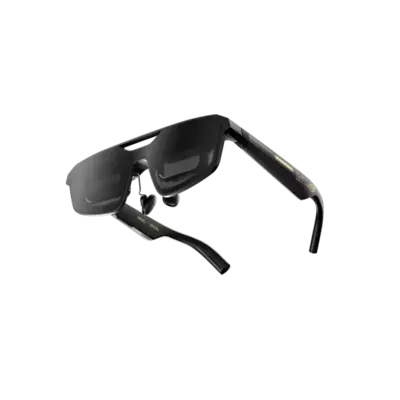
ROG XREAL R1 Edition 20
ROG XREAL R1 Edition 20 Gaming AR Glasses – 240 Hz refresh rate, 0.01 ms response time, Sony Micro-OLED display, 57° FOV, Electrochromic Dimming, Native 3DoF (Anchor & Follow Mode), ROG ecosystem connectivity with ROG Ally, Sound by Bose
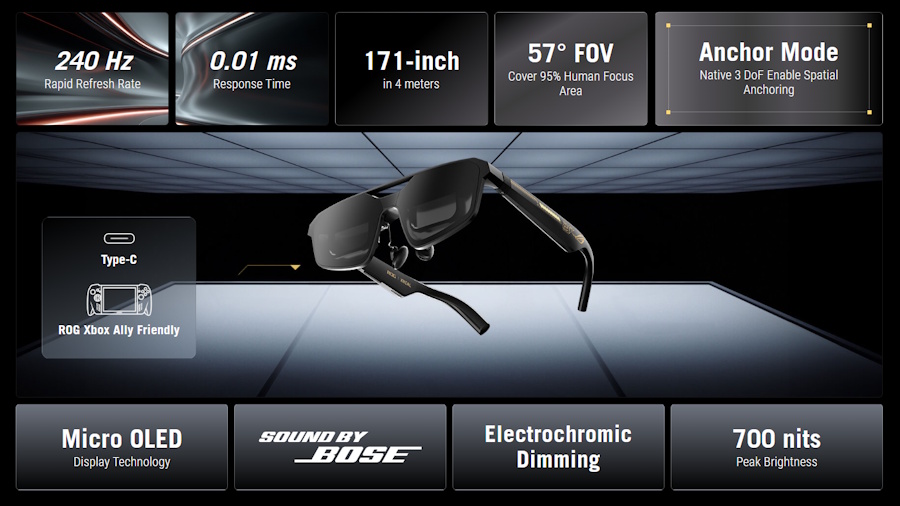
- 240 Hz Refresh Rate with 0.01 ms Response Time: Micro‑OLED FHD (1920 × 1080) gaming glasses deliver ultra‑low latency and exceptionally smooth, responsive gameplay
- 57° Expanded Field of View for Immersive Visuals: Projects a 171‑inch virtual screen at 4 meters, covering 95% of the focused viewing area for a truly immersive experience
- Native 3DoF with Electrochromic Lenses: Supports Anchor Mode and Follow Mode. Anchor Mode enables automatic transparency, while three manually adjustable electrochromic tint levels provide visual comfort across different lighting conditions
- Electrochromic Lens Technology: 3 tint levels to adapt to changing lighting conditions for optimal visual comfort
- Instant 3D: Transforms standard 2D content into immersive 3D effect for enhanced depth and realism
- Audio Sound by Bose: Enhances spatial awareness and deepens in‑game immersion with rich, detailed sound
- Seamless Connected & Controlled: USB‑C plug‑and‑play connectivity with deep ROG Ally integration, allowing Ally to directly control the glasses
- Available in Two Sizes: Narrow or Broad - size to your IPD (interpupillary distance). Choose the size that best fits your needs.


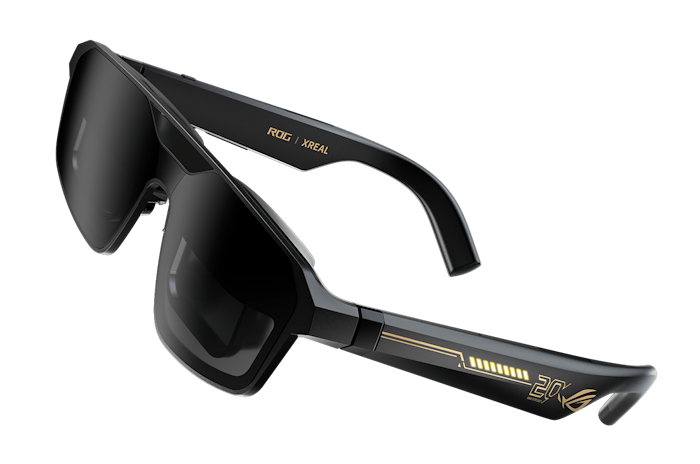
ROG XREAL R1 EDITION 20 GAMING AR GLASSES
SUPERSIZE YOUR VICTORY
The R1 Edition 20 is a wearable gaming AR glasses engineered for ROG Ally and all other handheld players who demand total immersion. Experience a massive, fluid viewing experience in a lightweight 91g form factor, featuring a high-performance 171-inch virtual Micro-OLED screen with an industry-leading 240Hz refresh rate and 0.01ms response time — the ultimate portable display alternative for first-person ARPGs and high-speed racing games.
As a core part of the ROG Ecosystem, the R1 Edition 20 offers unparalleled synergy across your devices. A single USB-C connection provides a seamless, plug-and-play experience with the ROG Ally handheld. With native 3DoF technology, you can pin your screen in space or let it follow your movements, while advanced electrochromic lens technology supports automatic transparency for perfect visual clarity in any lighting condition. Feature Sound by Bose audio and Instant 3D viewing; the R1 Edition 20 redefine big-screen gaming, whether you're at home or on the go.

Seamless Gaming Across Devices
Designed for handhelds and USB-C mobile devices, the R1 Edition 20 seamlessly expands your screen and transforms gameplay into a more immersive, larger-than-life experience.
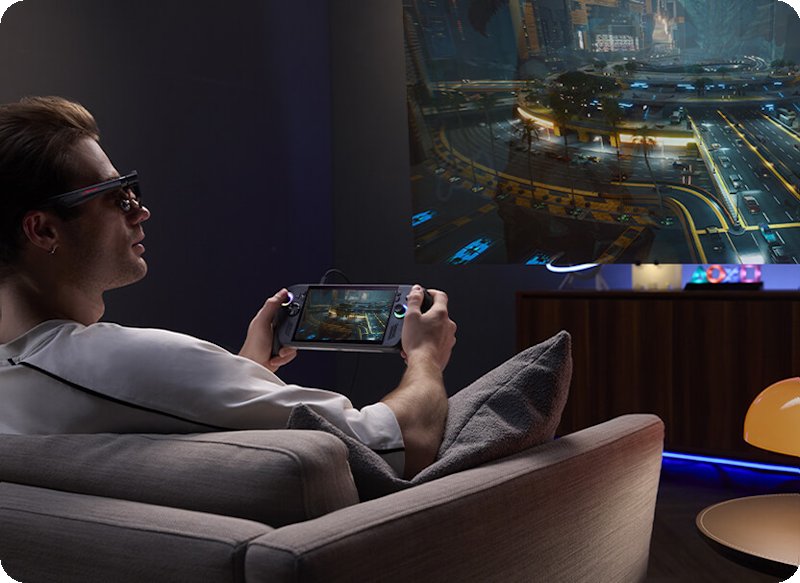
*Gameplay footage shown is for reference only.
Single-Cable 171-inch Expansion
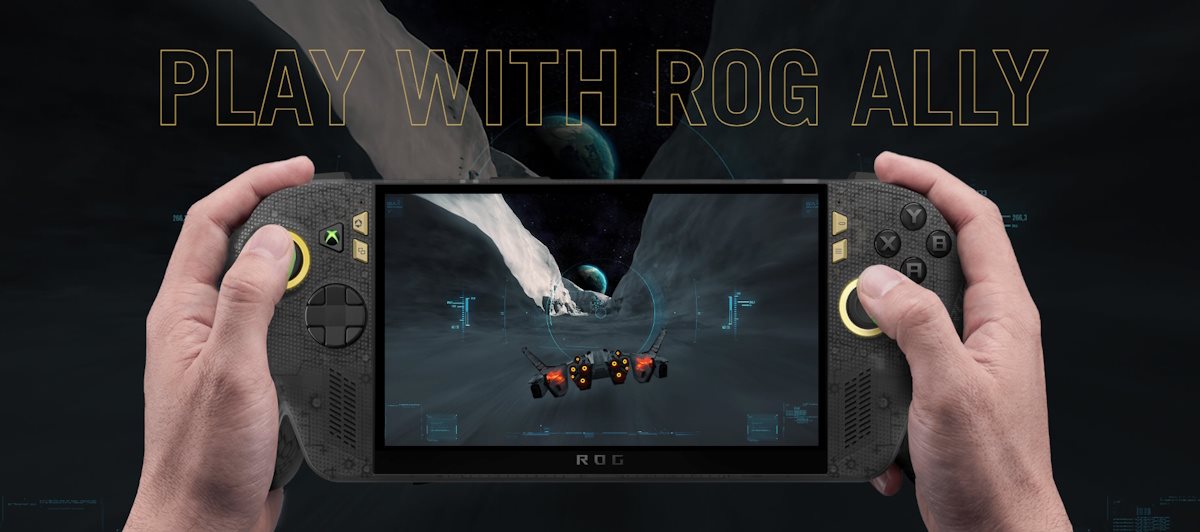
Experience anywhere immersion with a single USB-C cable. Transform your ROG Ally from a 7-inch handheld into your portable 171-inch battlefield in a 4-meter distance. Whether you're on a long flight or relaxing at home, the R1 Edition 20 delivers a massive, high-fidelity gaming environment that travels with you, ensuring you never have to compromise on scale or performance.
Seamless Control & Dual-Screen Synergy
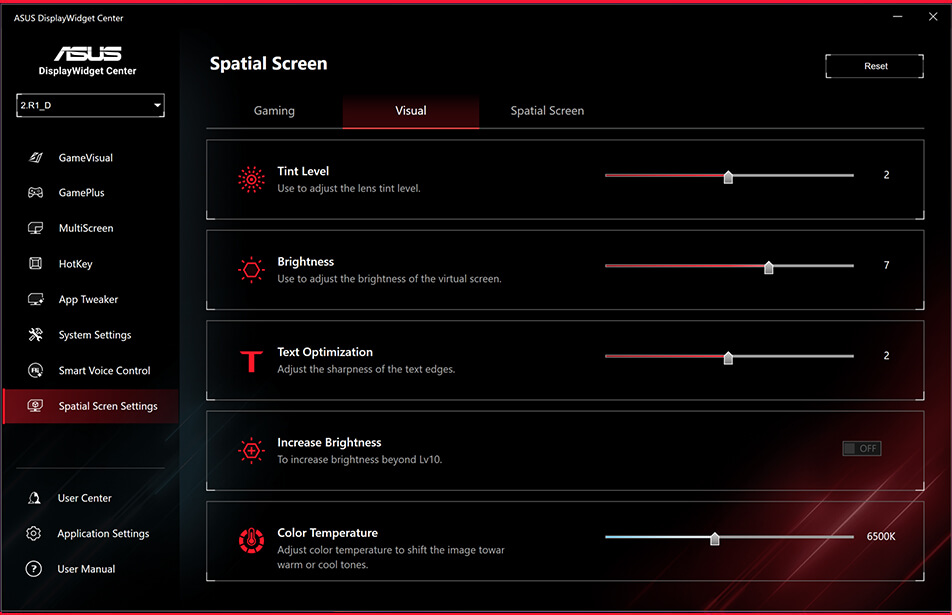
The R1 Edition 20 unlocks a new dimension of handheld gaming through synchronized dual display functionality with ROG Ally. While the glasses project a 171-inch virtual battlefield, the Ally's built-in display remains active to allows real-time adjustments to brightness, screen size, aspect ratio, visual effects, and more - all without interrupting gameplay. Features including tint level, frame-rate boost, spatial locker and 3D mode can be managed directly via the Ally's Armoury Crate SE (ACSE) app, maintaining uninterrupted focus on the action.
DisplayWidget Center
DisplayWidget Center is a powerful monitor management software designed to help users optimize, personalize, and fully utilize their display via a mouse or simple voice — so there's no need to access the OSD menu. Additionally, DisplayWidget Center offers firmware update notifications and includes a direct update option. Users can also import or export display configurations for sharing.


FreeLook
Unlock ultra-smooth spatial awareness with FreeLook feature, utilising advanced IMU (Inertial Measurement Unit) technology to mirror your every move in real-time for a truly boundless gaming experience.360° Wallpaper
Define your view. Tailor your surroundings with custom imagery for 360° wallpaper. Experience a VR-level escape and legendary immersion with the R1 Edition 20.Firmware Requirement:
• The glasses must be updated to Version MCM102
•The ROG Control Dock must be updated to Version MCM103
• The glasses must be updated to Version MCM102
•The ROG Control Dock must be updated to Version MCM103

Dual-Mode Performance: Blazing 240 Hz Frame Rate Boost
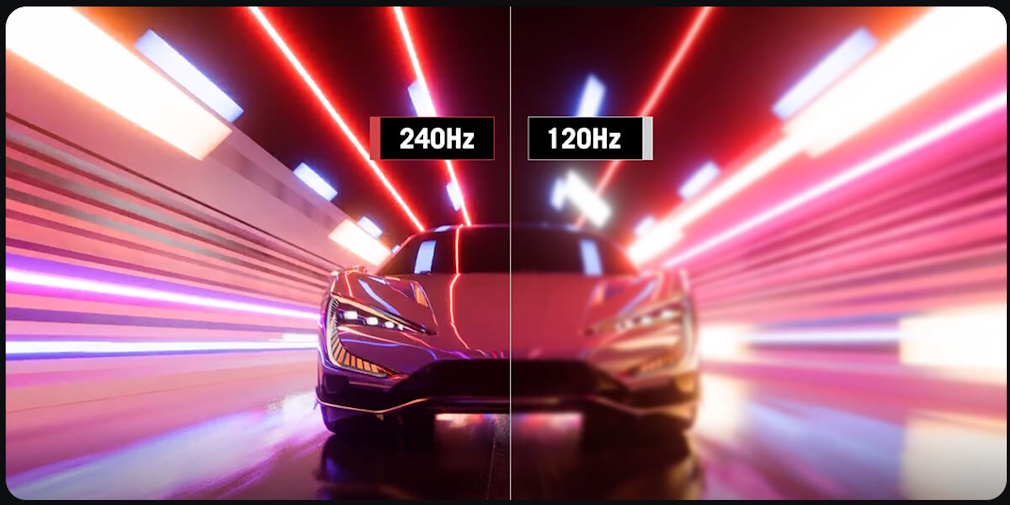
Enable Frame Rate Boost to unlock ultra-smooth FHD 240Hz (scaling)* gameplay with an ultra-fast 0.01 ms response time. Designed for fast-paced competitive gaming, this mode significantly reduces motion blur and ghosting for clearer tracking, faster reactions, and smoother on-screen motion.
*Note: Frame Rate Boost mode achieves FHD 240 Hz through image scaling. Visual sharpness may be slightly reduced compared to native resolution mode.
*Note: Frame Rate Boost mode achieves FHD 240 Hz through image scaling. Visual sharpness may be slightly reduced compared to native resolution mode.
240 Hz
Rapid Refresh Rate
Rapid Refresh Rate
0,01 ms
Response Time
Response Time
Massive Visuals
Experience a stunning 171-inch virtual screen powered by Micro-OLED technology. With an expansive 57° FOV, the R1 Edition 20 delivers a large-scale gaming experience with deep blacks and vibrant colors. Enjoy a massive view that remains sharp from edge to edge — all in a portable form of factor that transforms any space into an immersive realm.
57 FOV
*Fields of Views
Micro‑OLED
Up to
171"
171"
57 FOV
*Fields of Views
Micro‑OLED
Ultimate Immersive: Native 3DoF & Dimming
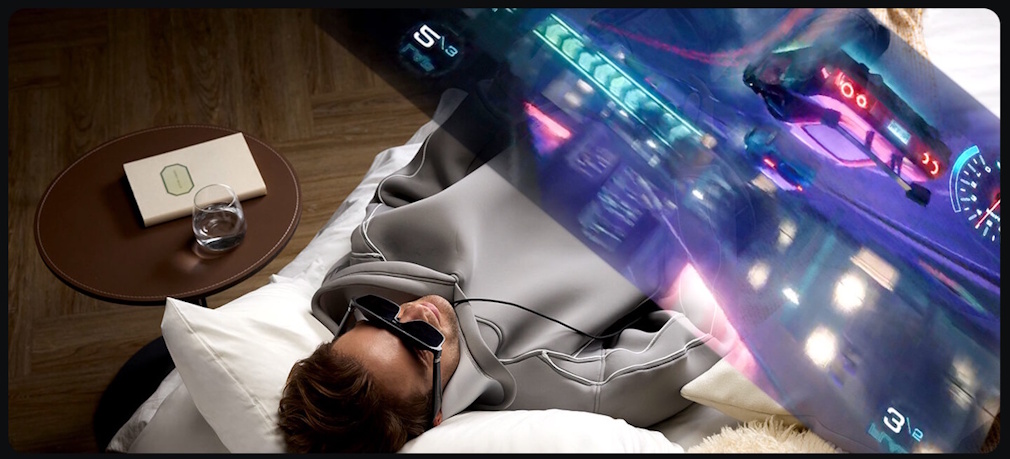
Experience a virtual screen that feels truly physical. With native 3DoF support, your display remains pinned in space, staying perfectly steady even as you move your head. Ensuring you stay deep in the action without ever breaking focus.
Anchor / Follow Mode
Video to show Anchor and Follow mode feature on R1 Edition 20Electrochromic Lens Technology
Use the integrated Electrochromic Dimming with three tint levels to instantly isolate your vision from ambient light, ensuring perfect clarity in any environment.
Auto Transparency
Instantly adapt to any environment by toggling lens transparency, ensuring crisp visuals from bright daylight to total darkness.Audiovisual Excellence: 106% sRGB & Sound by Bose
Experience balanced color accuracy with 106% sRGB coverage and 700 nits peak brightness for consistent contrast. Tuned with Sound by Bose, the R1 Edition 20 delivers high-fidelity audio that captures every tactical cue — from distant footsteps to environmental echoes — ensuring a professional-grade, immersive experience in any game world.
106%
sRGB
sRGB
700
Peak Brightness
Peak Brightness
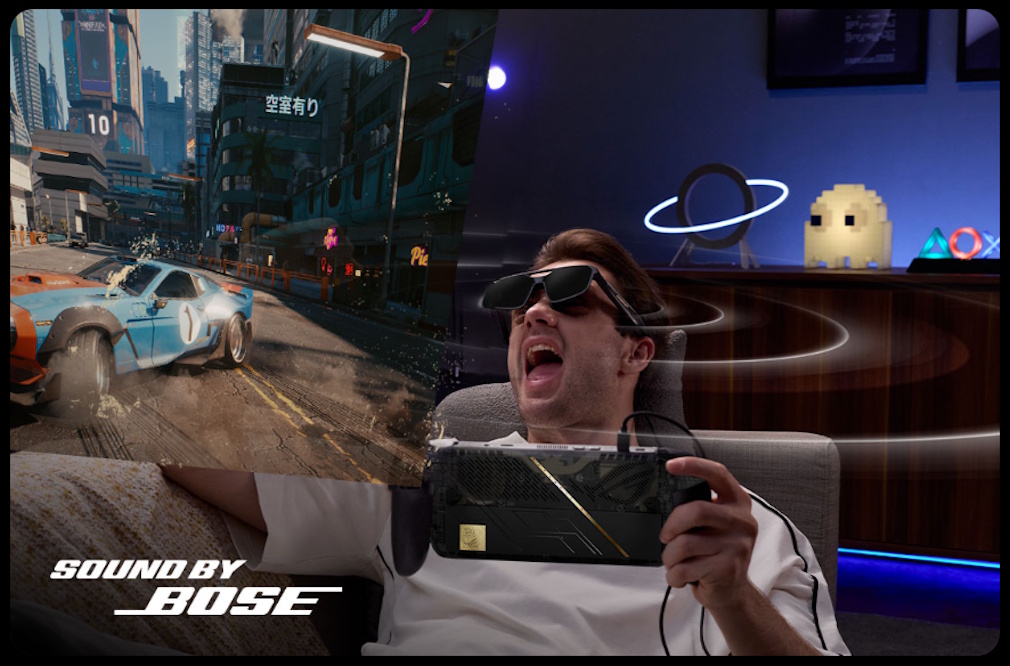
Instant 3D Immersion
Elevate your library with real-time advanced 2D-to-3D conversion, transforming standard games into deep, volumetric environments. This seamless transition creates a natural sense of scale and depth, adding a lifelike layer of realism that brings you closer to the action for a truly immersive 3D experience.
Ergonomic Design For Comfort
At 91 grams, the R1 Edition 20 is balanced for immediate comfort. Featuring adjustable nose pads and flexible temples, it provides a stable, personalized fit, maintaining a natural feel in any environment.
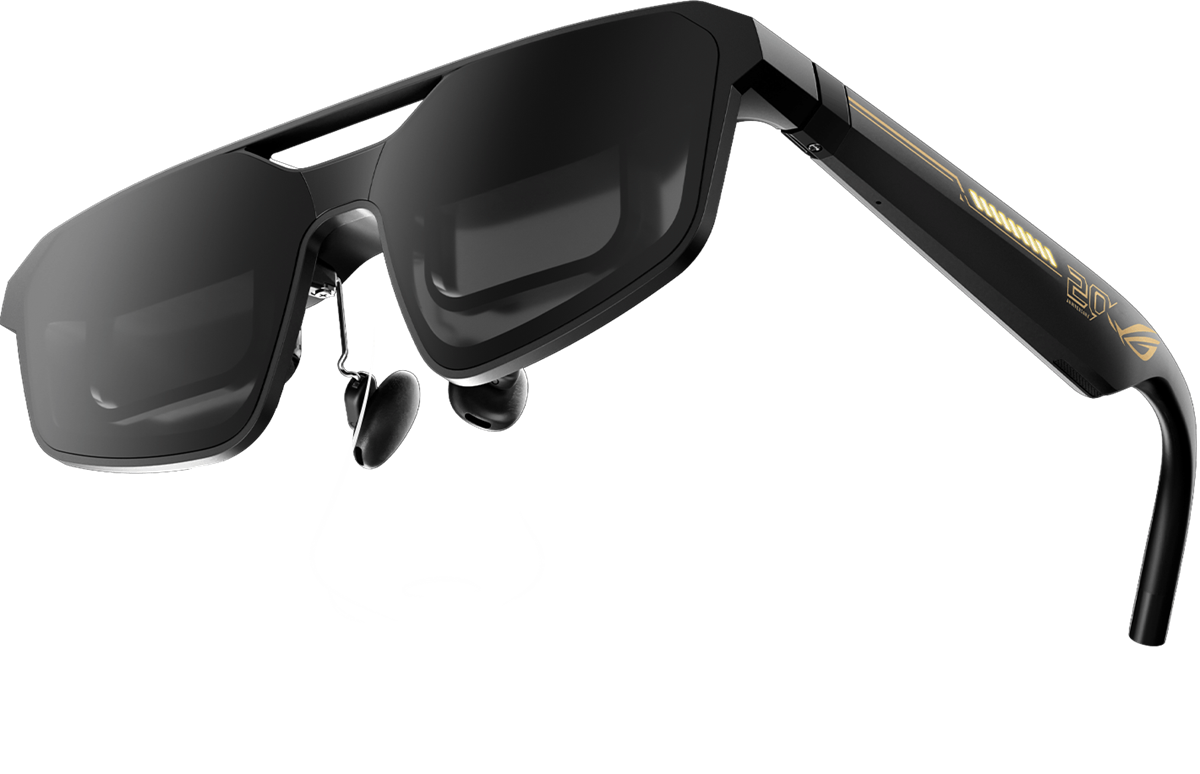
NOSE PADS
Flexible Fit: Multi-Size Nose Pads
Includes M and L sizes to accommodate different nose bridge heights and facial shapes.MULTI-ANGLE TEMPLES
Adjustable Fit: Multi-Angle Temples
The temples support three levels of vertical angle adjustment, with up to 3.5° of tilt per level, allowing users to finetune the fit based on nose bridge height and ear position. A spring hinge design automatically adapts to different head sizes, providing a comfortable and secure fit with a total adjustment range of up to 15°.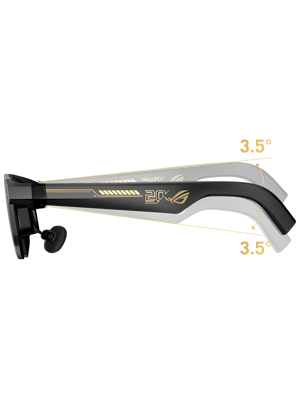
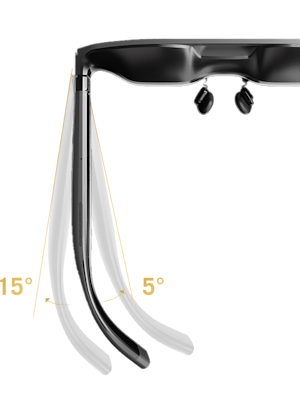
Customized Fit
Tailor your viewing experience with adjustable IPD for perfect screen alignment and reduced eye strain. R1 Edition 20 comes in two IPD sizes, covering 95% of consumers(from 57 and to 75 mm). Combined with custom prescription lens support, the R1 Edition 20 ensures every user enjoys a sharp, personalized immersive gaming experience without compromising clarity.
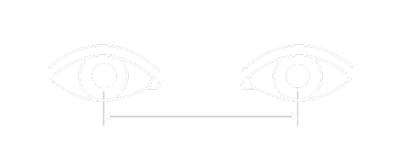
Understanding IPD & Finding Yours
Interpupillary Distance (IPD) is the space between your pupils. Precise IPD adjustment is key to clear visuals and accurate depth perception in AR. You can measure it via apps, at an optician, or with a ruler. Calibrating your R1 Edition 20 to this exact measurement ensures a sharp, centered view.Prescription Ready: Clear Vision for Every Gamer
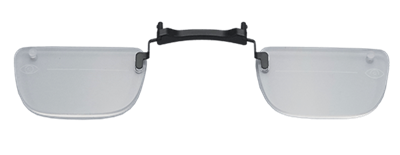
For users with myopia or astigmatism, the R1 Edition 20 offers a seamless vision solution. Each box includes a lens insert for custom fitting at your local optician. For added convenience, you can order pre-fitted prescription lenses directly from the official store or authorized partners.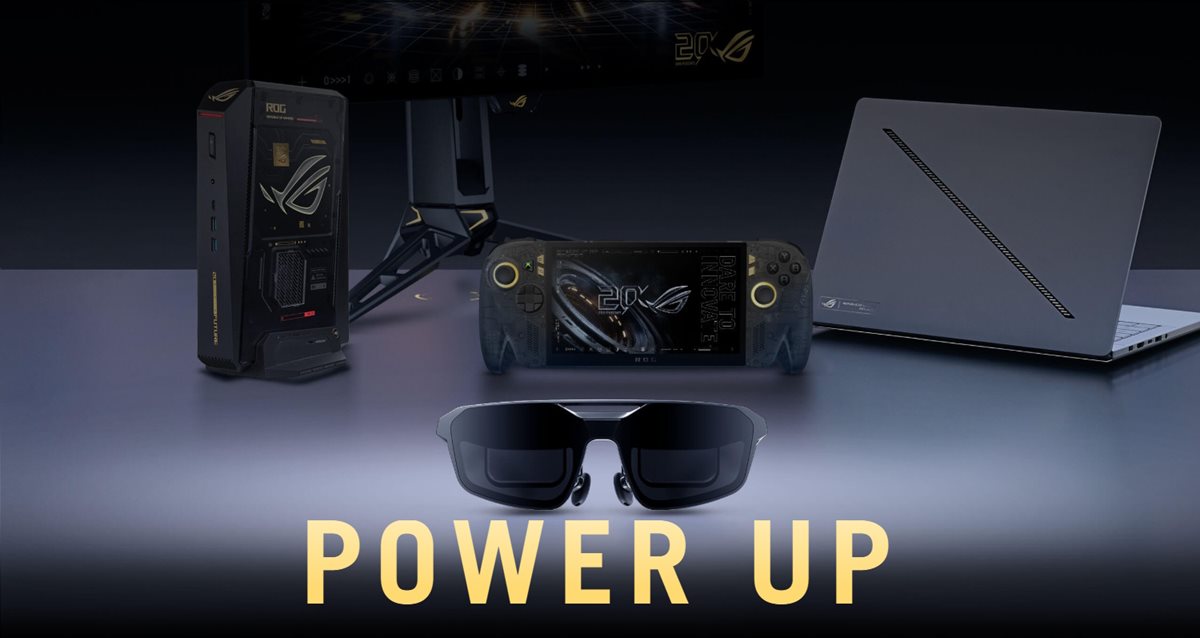
FAQ
What if I have nearsightedness?
The box includes a non prescription insert that can be fitted with prescription lenses by your optician.
You can also order prescription lens inserts directly from the link below for a more convenient solution. (Link: www.xreal.com/prescription-lens-ROG-XREAL-R1)
Is wearing the R1 glasses harmful to my eyes?
The R1 Edition 20 is designed with eye comfort as a top priority. Unlike smartphones or laptops viewed at close range, the R1's optical design projects images at a longer focal distance, like a projector. This approach is intended to reduce eye strain during extended use. Furthermore, the glasses have received the TÜV Eye Comfort certification, ensuring they meet rigorous standards for display quality and user health.
To maintain optimal eye health, Asus recommends taking a 10-minute break for every 45 to 60 minutes of continuous use. Avoid using glasses in environments where you cannot maintain situational awareness to ensure your safety.
Is the R1 suitable for use in bright environments?
The R1 Edition 20 features 3-level electrochromic dimming technology, allowing you to adjust the lens transparency with a single button. Whether you are in a brightly lit cafe or outdoors, you can darken the lenses to ensure a clear, high-contrast viewing experience.
What is the battery life of the glasses?
The glasses do not have a built-in battery. Power is supplied directly by the connected host device.
Power consumption is less than 3W, ensuring efficient operation with minimal impact on the host device's battery life.
How is the audio performance? Will people around me hear my sound?
The R1 Edition 20 features a Sound by Bose audio system with spatial audio support for an immersive experience.
Its directional audio design is engineered to minimize sound leakage and protect your privacy. However, for complete privacy or in quiet environments, using headphones is still recommended.
Why does text look slightly blurry when viewing at 240 Hz?
When boosting 240 Hz, certain image processing algorithms are used to achieve a higher refresh rate, which may result in a slight reduction in text clarity.
What is the current length of the USB-C cable? Can it be made longer?
Currently, the cable is fixed at 1.2 meters to guarantee the stability required for high refresh rate gaming.
Does my smartphone or computer support a direct connection?
Yes. Supports any device with USB-C DP Alt Mode, including ROG Ally, iPhone 15/16, and Android flagships. No external power is required.
Can the R1 Edition 20 be connected to a Nintendo Switch?
Yes, because the glasses require external power, the Nintendo Switch must be used with its Dock. Connect the Dock to a powered HDMI-to-USB-C adapter, and the ROG XREAL R1 Edition 20 Gaming AR Glasses will be able to display the Switch's output.
Does 240 Hz work with every device?
It depends on your hardware. While the ROG Ally and gaming PCs support high refresh rates, some devices (like the Nintendo Switch and phones) are capped at 60 Hz.
What games can I play with the glasses?
The R1 Edition 20 functions as an external display, making it compatible with any game that runs on your connected device (e.g., ROG Ally, smartphone, PC, or console).
What's the different between R1 Edition 20 and standard edition?
The R1 Edition 20 is a special limited-edition version released as part of the ROG 20th Anniversary lineup, celebrating the 20th anniversary of Republic of Gamers.
In terms of functionality, the R1 Edition 20 and the standard ROG XREAL R1 are identical. Both versions feature the same display technology, hardware specifications, and gaming features, with no differences in performance or capabilities.
The main difference is in the package contents:
• ROG XREAL R1 (Standard Edition) includes the ROG Control Dock.
• ROG XREAL R1 Edition 20 (Standalone Version) includes only the gaming AR glasses
Do I need to install a specific app to use the glasses?
No, you can use the glasses at any time without installing a dedicated app. Asus also provides the ASUS DisplayWidget Center software, which allows you to adjust brightness, contrast, refresh rate, and Multiscreen settings directly using a mouse — without needing to reach for the physical buttons on the glasses.
Does the “Anchor Mode” require software-based processing?
The R1 Edition 20 is equipped with a built-in X1 spatial processing chip, which enables 3DoF functionality directly on the glasses. As a result, Anchor Mode can be activated directly on the device, delivering a stable viewing experience without the discomfort or dizziness typically caused by the image moving with head motion.
Will Armoury Crate integrate support for the glasses?
No, to adjust the glass-related settings, please download the ASUS DisplayWidget Center software.
How do I choose between the two available sizes?
To ensure optimal visual clarity and wearing comfort, Asus recommends selecting the size based on your IPD (Interpupillary Distance):
IPD 63: Ideal for users with an IPD range of 57 mm - 66 mm
IPD 69: Ideal for users with an IPD range of 66 mm - 7 5mm
While these guidelines fit most users, everyone's face shape is different. If you're between sizes or uncertain, Asus highly recommends visiting a retail store to try both for the most accurate fit.
How do I measure my IPD?
If you have had an eye exam recently, your IPD is usually listed on your prescription. Otherwise, you can refer to the following guide to measure it: (Link: https://rog.asus.com/content/r1-glasses-ipd/)
- The terms HDMI, HDMI High-Definition Multimedia Interface, HDMI Trade dress and the HDMI Logos are trademarks or registered trademarks of HDMI Licensing Administrator, Inc.
- Products certified by the Federal Communications Commission and Industry Canada will be distributed in the United States and Canada. Please visit the ASUS USA and ASUS Canada websites for information about locally available products.
- All specifications are subject to change without notice. Please check with your supplier for exact offers. Products may not be available in all markets.
- Specifications and features vary by model, and all images are illustrative. Please refer to specification pages for full details.
- PCB color and bundled software versions are subject to change without notice.
- Brand and product names mentioned are trademarks of their respective companies.
- Unless otherwise stated, all performance claims are based on theoretical performance. Actual figures may vary in real-world situations.
- The actual transfer speed of USB 3.0, 3.1, 3.2, and/or Type-C will vary depending on many factors including the processing speed of the host device, file attributes and other factors related to system configuration and your operating environment.
About ASUS
ASUS is a multinational company best known for their motherboards, PCs, monitors, graphics cards and routers. Along with an expanding range of superior gaming, content-creation and AIoT solutions, ASUS leads the industry through cutting-edge design and innovations made to create the most ubiquitous, intelligent, heartfelt and joyful smart life for everyone. With a global workforce that includes more than 5,000 R&D professionals, ASUS is driven to become the world’s most admired innovative leading technology enterprise.
About ROG
Republic of Gamers (ROG) is an ASUS sub-brand dedicated to creating the world’s best gaming hardware and software. Formed in 2006, ROG offers a complete line of innovative products known for performance and quality, including motherboards, graphics cards, laptops, desktops, monitors, audio equipment, routers and peripherals. ROG participates in and sponsors major international gaming events. ROG gear has been used to set hundreds of overclocking records and it continues to be the preferred choice of gamers and enthusiasts around the world.
© 2026 ASUS Computer International. All Rights Reserved. ASUS is a registered trademark of ASUSTeK Computer. All specifications and terms are subject to change without notice. Please check with your supplier for exact offers on selected models. Products may not be available in all markets. Product may not be exactly as shown in photos. Actual colors may differ from their appearance due to variation of monitor restrictions and color processing. All trademarks are registered to their respective companies. ASUS shall not be liable for technical or editorial errors or omissions contained herein.